Strapi CMS
- Tags : linux soft strapi CMS
- Main page : texnolog.org
- Published on : 2025-11-29 Edited on : 2025-11-29
- Table of Contents :
Installation (Debian)
- install Node.js for old version: Debian 7 (Wheezy), Debian 8 (Jessie) or Node.js DEB repository
- install npm
- install strapi
$ curl -fsSL https://deb.nodesource.com/setup_23.x -o nodesource_setup.sh
$ sudo -E bash nodesource_setup.sh
$ sudo apt-get install -y nodejs
Create project
$ mkdir ./strapi
$ cd ./strapi/
$ npm create strapi@latest SiteName

# for upgrade Strapi
$ npx @strapi/upgrade latest
Run admin panel
$ cd ./strapi/SiteName
$ npm run develop     # autoReload enabled
# $ npm run develop --no-watch-admin
# $ npm run start     # autoReload disabled
# $ npm run build     # build admin panel
Strapi admin panel should be run on http://localhost:1337/admin
Strapi
Content-Type Builder
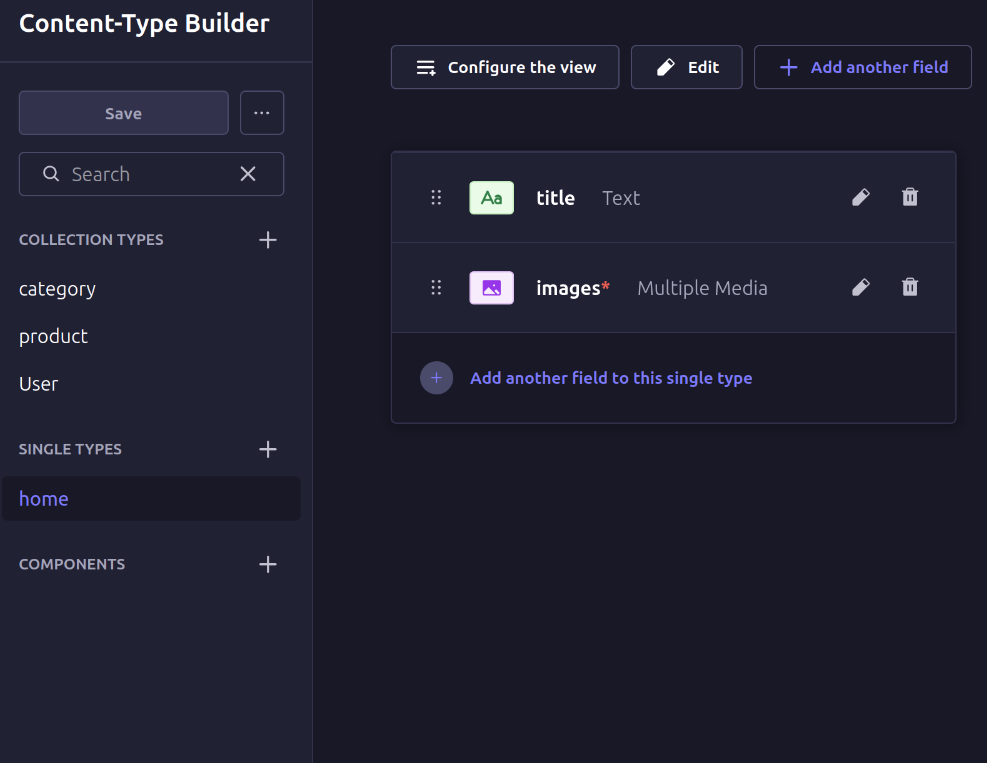
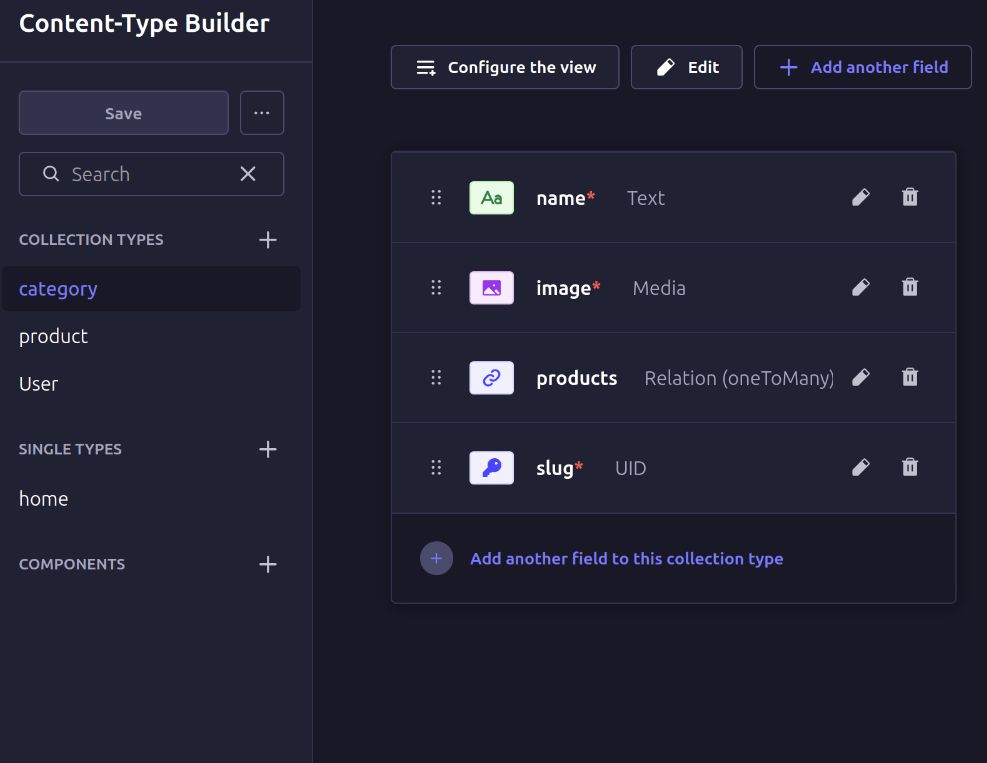
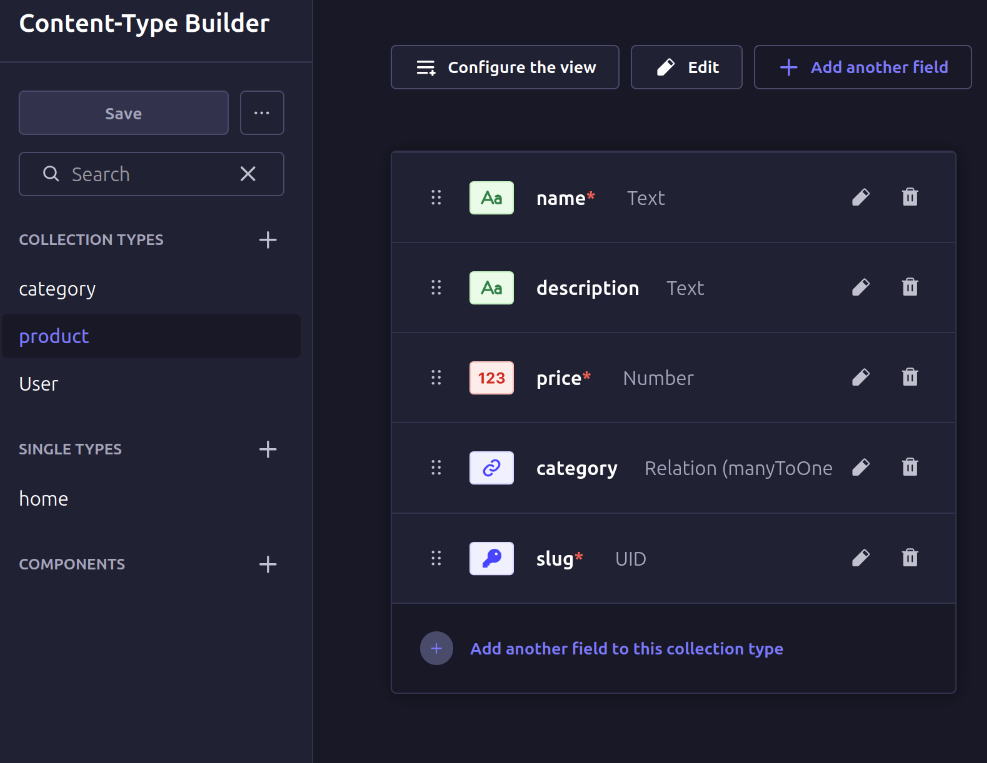
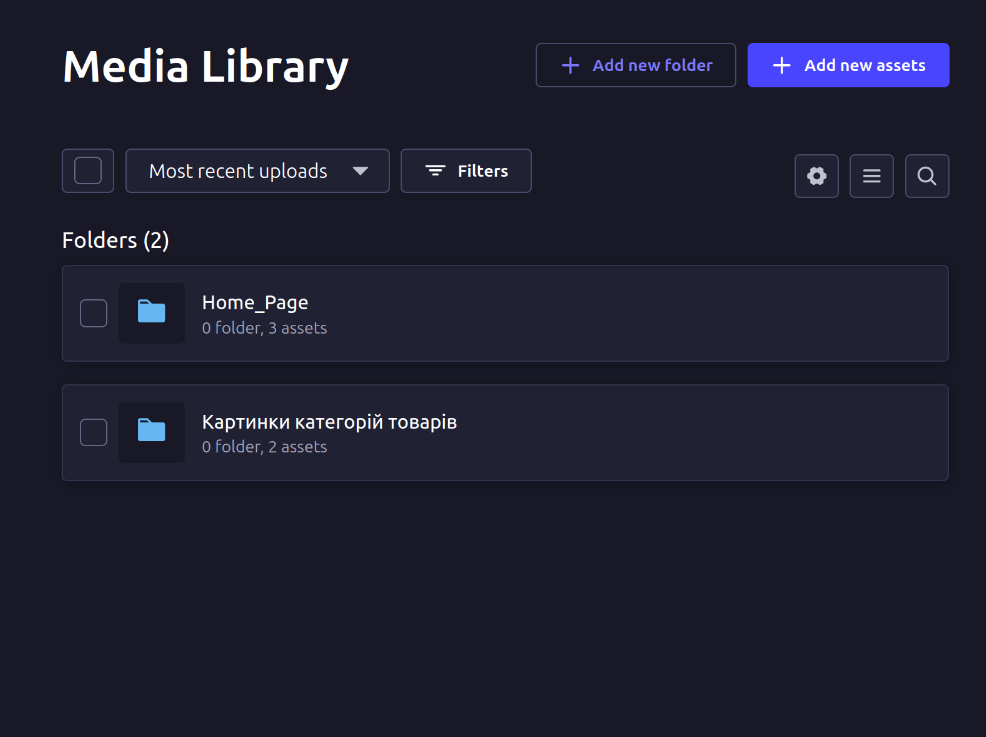
Media Library
Test
curl -X GET http://strapi.texnolog.org/api/home
curl -X GET http://strapi.texnolog.org/api/home?populate=*
Краще використовувати консольну утіліту jq для форматованого виводу json
curl -X GET http://strapi.texnolog.org/api/home?populate=* | jq '.'
curl -X GET http://strapi.texnolog.org/api/home?fields="title" | jq '.'
curl -X GET http://strapi.texnolog.org/api/home?populate=images | jq '.'

curl -X GET http://strapi.texnolog.org/api/categories | jq '.'
curl -X GET http://strapi.texnolog.org/api/categories?populate=* | jq '.'
curl -X GET http://strapi.texnolog.org/api/categories?populate=products | jq '.'

# if error "curl: bad range specification in URL position..."
# need escaping symbols []$ and use "" for http-url
curl -X 'GET' "http://strapi.texnolog.org/api/products?filters\[category\]\[id\]\[\$eq\]=2" -H 'Accept: application/json'  | jq '.'
curl -X 'GET' "http://strapi.texnolog.org/api/products?filters\[slug\]\[\$eq\]=product-1"  | jq '.'
curl -X 'GET' "http://strapi.texnolog.org/api/products?filters\[name\]\[\$eq\]=product_1"  | jq '.'
HTML - Template
HTML-файл (index.html)
<!DOCTYPE html>
<html lang="uk">
<head>
    <meta charset="UTF-8">
    <title>Nunjucks Min</title>
</head>
<body>
    <div id="app">Завантаження...</div>

    <script src="https://cdnjs.cloudflare.com/ajax/libs/nunjucks/3.2.4/nunjucks.min.js"></script>

    <script id="tmpl" type="text/html">
        <h2>{{ pageTitle }}</h2>
        {% if articles.length %}
            {% for a in articles %}
                <div class="card">
                    <h3>{{ a.attributes.Title }}</h3>
                    {# Використовуємо кастомний фільтр #}
                    <small>{{ a.attributes.createdAt | df }}</small>
                    <p>{{ a.attributes.Content | tr(120) }}...</p>
                </div>
            {% endfor %}
        {% else %}
            <p>Статей немає.</p>
        {% endif %}
    </script>

    <script src="app.js"></script>
</body>
</html>
JavaScript-файл (app.js)
const STRAPI_URL = 'http://localhost:1337/api/articles?populate=*';
const appEl = document.getElementById('app');

// 1. Налаштування Nunjucks
const env = nunjucks.configure(null, { autoescape: true });

// 2. Короткі кастомні фільтри
env.addFilter('df', d => { // df: Date Format
    if (!d) return '';
    try {
        return new Date(d).toLocaleDateString('uk-UA', { year: 'numeric', month: 'long', day: 'numeric' });
    } catch (e) {
        return 'Некоректна дата';
    }
});
env.addFilter('tr', (s, l) => (!s || s.length <= l) ? s : s.substring(0, l)); // tr: Truncate

// 3. Основна функція
async function renderContent() {
    try {
        const res = await fetch(STRAPI_URL);
        if (!res.ok) throw new Error(`HTTP ${res.status}`);

        const data = await res.json();
        const tmpl = document.getElementById('tmpl').innerHTML;

        const html = env.renderString(tmpl, {
            pageTitle: "Список статей",
            articles: data.data || []
        });

        appEl.innerHTML = html;

    } catch (e) {
        appEl.innerHTML = `<p style="color:red;">Помилка: ${e.message}</p>`;
    }
}

renderContent();
const url = “http://site.com/section/slug";
// 1. Перевірка існування (валідності) URL function isValidUrl(string) { try { new URL(string); return true; } catch (e) { return false; } }
if (!isValidUrl(url)) { console.log(“error: Invalid URL format”); } else { // 2. Розділення URL на base_url=http://site.com та endpoint - все інше
const urlObject = new URL(url);
// base_url тепер = “http://site.com” (використовуємо .origin) const base_url = urlObject.origin;
// endpoint = “/section/slug” (використовуємо .pathname) // Для подальшої логіки нам потрібно видалити початковий скісний дріб, // якщо тільки це не корінь (тоді pathname буде ‘/’) let endpoint = urlObject.pathname;
// Якщо це не корінь (pathname не просто ‘/’), видаляємо початковий скісний дріб let path = endpoint; if (path.startsWith(’/’) && path.length > 1) { path = path.substring(1); } else if (path === ‘/’) { path = “”; // Для кореневого URL, path має бути порожнім }
// Розділяємо шлях на частини для section та slug const parts = path.split(’/’); const section = parts[0]; const slug = parts[1] || “”; // Забезпечуємо порожній рядок, якщо slug відсутній
console.log(base_url: ${base_url});
console.log(endpoint: ${endpoint}); // Виводимо endpoint, як “/section/slug”
console.log(’— Log Output —’);
// 3. Логіка виводу в лог
// Перевіряємо, чи є шлях порожнім (для URL ‘http://site.com/' path буде “”) if (path === “”) { console.log(“home”); } // Перевірка section else if (section === “categories”) { console.log(“categories”); console.log(slug); // Виводимо slug } else if (section === “products”) { console.log(“products”); console.log(slug); // Виводимо slug } // Жодна з вимог не виконана else { console.log(“error”); } }
є сервер з Strapi. налоаштовано колекції Category і Product. напиши на js запит до api для отримання:
- назв всіх назв записів з Category та їх іконок (без зайвої інформації)
- назв всіх продуктів з Product що входять до однієї вказаної Category
- вивести повну інформацію по одному продукту з Product
всі отримані json дані завантажити в html сторінку